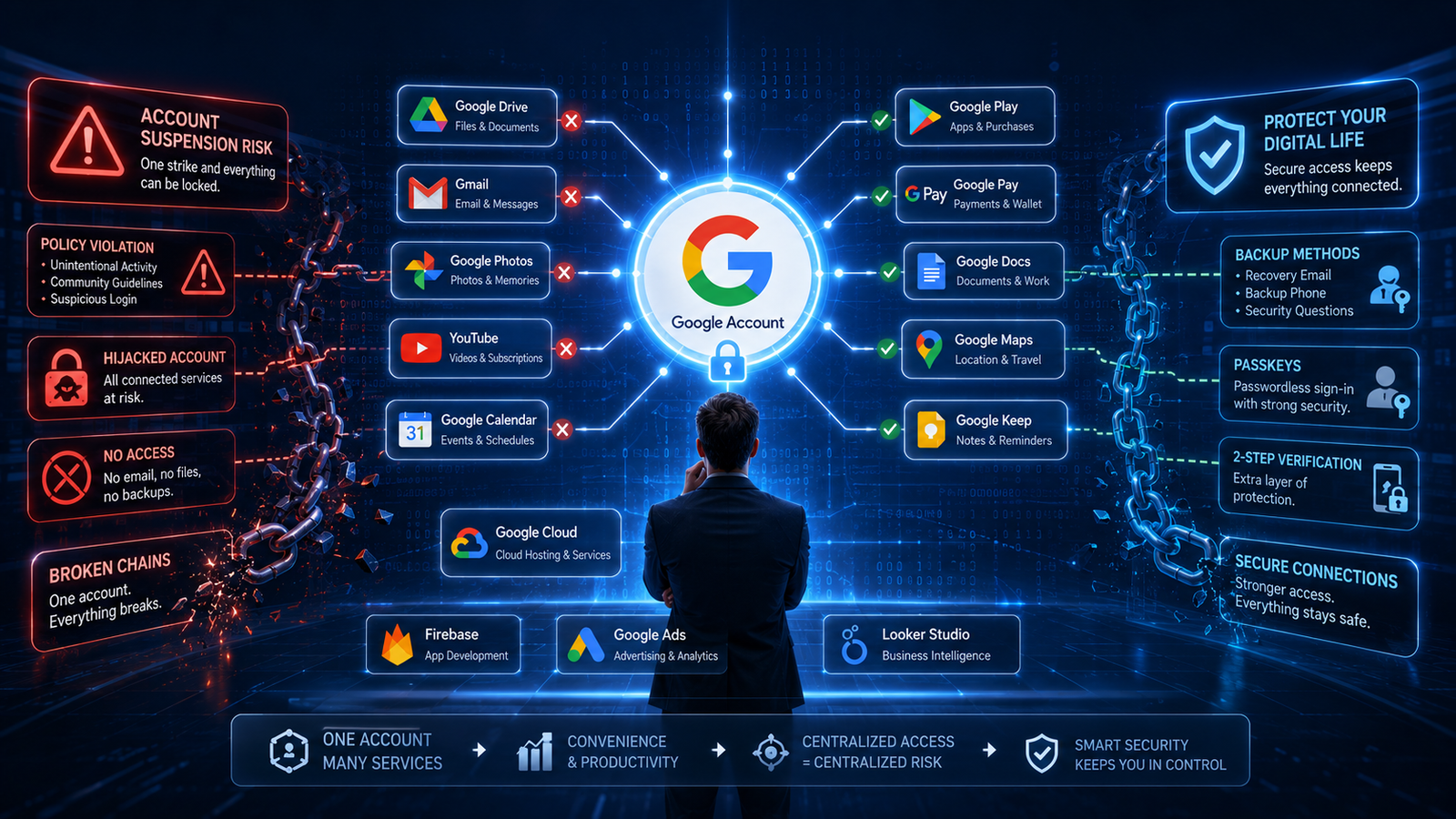
Imagine waking up tomorrow morning and opening your laptop & smartphone as usual.
You try to check your emails.
Nothing.
You open your favorite note-taking app.
Access denied.
Your work documents are gone.
Your project management dashboard won’t load.
Your cloud hosting account asks you to verify your identity—but the only login option you ever used was “Sign in with Google.”
Sounds like a hacker movie?
Unfortunately, situations similar to this have happened to real people.
Several users have publicly shared stories of suddenly losing access to their Google accounts due to policy issues, automated security systems, or unresolved account disputes. In many cases, recovering the account proved difficult, especially when multiple services depended on that single Google identity. While every situation is different, these stories highlight an important lesson: relying on one login provider for everything creates a single point of failure.
That doesn’t mean Google Sign-In is unsafe.
In fact, it’s one of the most secure authentication methods available.
The real issue isn’t security.
It’s dependent.
The Convenience That Slowly Becomes a Habit
Let’s be honest.
Whenever we create a new account, the blue “Continue with Google” button is usually the fastest option.
No new password.
No email verification.
No remembering another login.
Just one click.
After doing this for years, most people don’t even realize how many accounts are connected to their Google profile.
Your productivity apps.
Your AI tools.
Your design software.
Your expense trackers.
Your project management platforms.
Even business services like cloud hosting, developer platforms, or payment tools may all rely on the same Google identity.
It feels incredibly convenient—until something unexpected happens.
Understanding How "Sign in with Google" Actually Works
Many people think they’re creating an account directly with the website they’re visiting.
That’s only partially true.
When you click “Sign in with Google,” the website doesn’t verify your identity itself.
Instead, it asks Google a simple question:
“Can you confirm this person is who they claim to be?”
If Google confirms your identity, the website grants access.
This system is based on industry-standard authentication technologies such as OAuth 2.0 and OpenID Connect, which allow trusted services to verify users without sharing their passwords. It’s one of the reasons Google Sign-In is widely considered safer than reusing passwords across multiple websites.
So, from a security perspective, it’s a smart system.
But it also means your Google account becomes the key that unlocks dozens—or even hundreds—of other services.
When Convenience Becomes a Single Point of Failure
Think of your Google account as the master key to your digital life.
If that one key stops working, every door that depends exclusively on it may also become difficult—or impossible—to open.
This doesn’t necessarily mean you’ll permanently lose every account.
Some services let you add a password, recovery email, or another authentication method.
Others may allow account recovery through customer support.
But if you never set up those alternatives, recovering access can become much harder. Google itself explains that third-party apps depend on your Google account for authentication, and users should regularly review connected apps and permissions.
That’s why cybersecurity professionals often recommend avoiding a single point of failure for critical business systems.
The same principle applies to your online identity.
Which Accounts Should Not Rely Only on "Sign in with Google"?
Let’s be clear.
This article is not telling you to stop using Google Sign-In completely.
In fact, for many everyday apps, it’s a great choice. It saves time, reduces password reuse, and benefits from Google’s strong security systems.
The bigger issue is where you choose to use it.
If an account controls your income, business, important documents, or customer data, it’s worth asking:
“What happens if I can’t access my Google account for a few days?”
For example, if you’re a freelancer, creator, startup founder, or small business owner, these accounts deserve extra attention:
- Cloud hosting platforms
- Business email services
- Project management tools
- Payment platforms
- Accounting software
- Team communication apps
- Domain and DNS management
- Code repositories and deployment platforms
These aren’t just apps—they’re the foundation of your work.
If possible, create them with a dedicated email address and a strong password (or passkey if supported), then add Google Sign-In later as an optional login method rather than your only one.
Build a Backup Before You Need One
Think of your online accounts the same way you think about backing up your computer.
Most people don’t create backups after losing important files.
They do it before something goes wrong.
Your digital identity deserves the same mindset.
Here are a few habits that can make a huge difference:
- Enable two-factor authentication (2FA) on important accounts.
- Save recovery codes somewhere safe.
- Add a recovery email and phone number where supported.
- Use a password manager to store unique passwords.
- If a service allows it, set up multiple sign-in methods instead of relying on just one.
Modern authentication methods such as passkeys are also becoming more common because they reduce phishing risks while remaining easy to use.
Check Your Google Connections Today
Here’s one practical step you can complete in less than five minutes.
Open your Google Account settings and review your third-party connections.
You may be surprised by how many apps you’ve authorized over the years.
Ask yourself three simple questions:
- Do I still use this app?
- Do I trust this developer?
- Does this app still need access?
If the answer is “no,” remove the connection.
Google allows you to review and revoke access for connected apps at any time, helping reduce unnecessary access to your account.
This isn’t just good security.
It’s good digital housekeeping.
The Real Lesson Isn't About Google
It would be easy to read this article and conclude:
“Google is the problem.”
That isn’t the message.
Google Sign-In is actually designed to improve both convenience and security by reducing password reuse and using standardized authentication technologies.
The real lesson is much broader.
Avoid creating a single point of failure.
The same advice applies whether you rely entirely on one cloud provider, one hard drive, one payment processor, or one authentication service.
The more critical something is to your work or finances, the more important it is to have a backup plan.
Digital resilience isn’t about expecting disaster.
It’s about being prepared if something unexpected happens.
Final Thoughts
Technology makes our lives easier every year.
One-click logins, cloud storage, passwordless authentication, and connected apps have removed countless small frustrations from daily life.
But convenience always comes with responsibility.
Using “Sign in with Google” isn’t a mistake.
Using it everywhere without a backup plan can be.
For personal apps, the convenience often outweighs the risk.
For business accounts, financial platforms, customer records, or mission-critical services, taking a few extra minutes to set up alternative login methods can save days—or even weeks—of stress later.
At the end of the day, the safest digital strategy isn’t about trusting one company more than another.
It’s about making sure your digital life never depends on a single key.
Quick Summary
Key Takeaways
- Sign in with Google is secure and convenient, but depending on it for every important account can create a single point of failure.
- Business-critical accounts should have additional login or recovery methods whenever possible.
- Regularly review third-party app access and remove services you no longer use.
- Enable two-factor authentication, store recovery information safely, and consider using passkeys where available.
- Good cybersecurity isn’t about avoiding Google—it’s about reducing unnecessary dependence on any single provider.
FAQs
1. Is "Sign in with Google" unsafe?
No. In fact, Sign in with Google is considered one of the most secure login methods available. It uses industry-standard authentication technologies like OAuth 2.0 and OpenID Connect, helping users avoid weak or reused passwords.
The risk isn’t the technology itself—it’s relying on it as your only way to access important accounts.
2. Can I lose access to apps if my Google Account is suspended?
Yes, it is possible.
If an app relies exclusively on your Google account for authentication and you haven’t added another login method, losing access to your Google account can make it difficult to access that service.
However, many platforms also allow users to:
- Add an email and password
- Connect another identity provider
- Recover the account through customer support
The experience depends on how each service is designed.
3. Should I stop using Google Sign-In?
Not at all.
For everyday websites, shopping apps, forums, or services that don’t contain business-critical information, Google Sign-In is usually a great choice.
The recommendation is simply to avoid making it your only login method for accounts related to:
- Business operations
- Payments
- Cloud infrastructure
- Customer data
- Important documents
- Team collaboration
4. How can I check which apps are connected to my Google account?
Google makes this easy.
Open your Google Account and navigate to the Security section. From there, you can review third-party apps and services connected to your account, remove apps you no longer use, and check what permissions each app has.
It’s a good habit to review this list every few months.
5. What's the best way to protect my important accounts?
There isn’t a single solution, but combining several security practices works well:
- Use a strong, unique password or a passkey.
- Enable two-factor authentication (2FA).
- Save your recovery codes securely.
- Add recovery email addresses and phone numbers.
- Use a password manager.
- Avoid depending on just one authentication provider for business-critical accounts.
6. What's the biggest lesson from this story?
Convenience is valuable.
But convenience should never replace resilience.
Whether it’s your login method, cloud storage, payment provider, or hosting service, try not to let one account become the single key to your entire digital life.